BP Proxy Switcher is an extension that can help you switch proxies easily on the Google Chrome, Mozilla Firefox, and Mircrosoft Edge browsers. It can also allow you to change the user-agent and delete cookies and cache, so you can surf the Internet anonymously and safely.

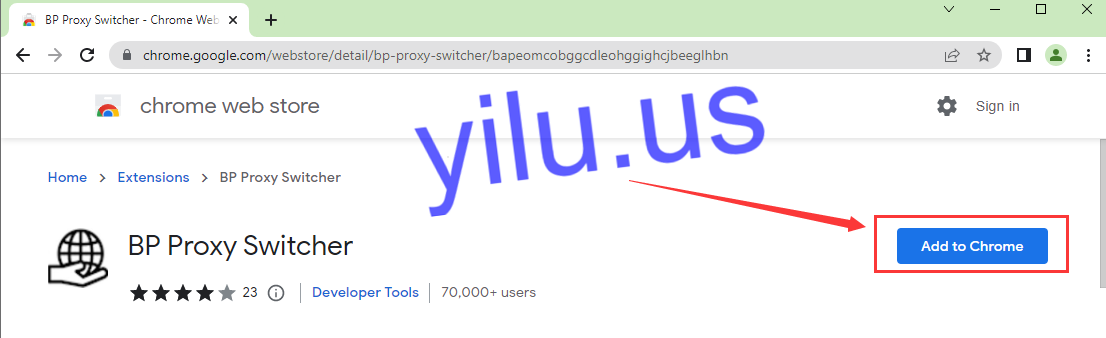
1. Download and Install BP Proxy Switcher extension.
Google Chrome browser: https://chrome.google.com/webstore/detail/bp-proxy-switcher/bapeomcobggcdleohggighcjbeeglhbn
Mozilla Firefox browser: https://addons.mozilla.org/en-US/firefox/addon/bp_proxy_switcher/
Mircosoft Edge browser: https://microsoftedge.microsoft.com/addons/detail/bp-proxy-switcher/hhachhdmkimllgfnhokphmadpdjnjcng
Here I use the Google Chrome browser as an example:
2. Enter proxies.
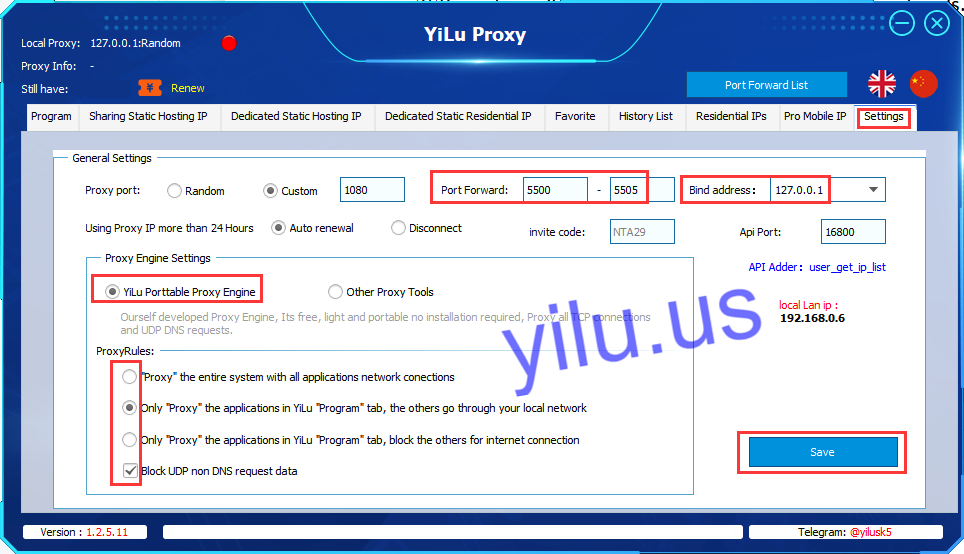
A. YiLuProxy Settings.
- a. Port Forward: set the range of forward ports, such as 5500-5505;
- b. Bind address: 127.0.0.1;
- c. Select “YiLu portable proxy engine”
- d. Select the second and fourth proxy rules
- e. Finally, save settings.
B. BP Proxy Switcher Proxy Settings.
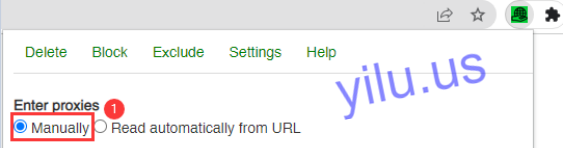
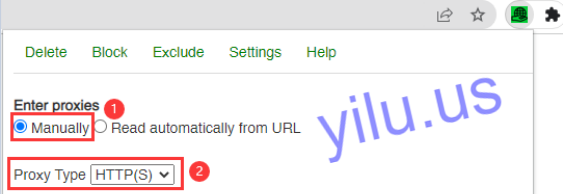
Click the BP Proxy Switcher extension icon.
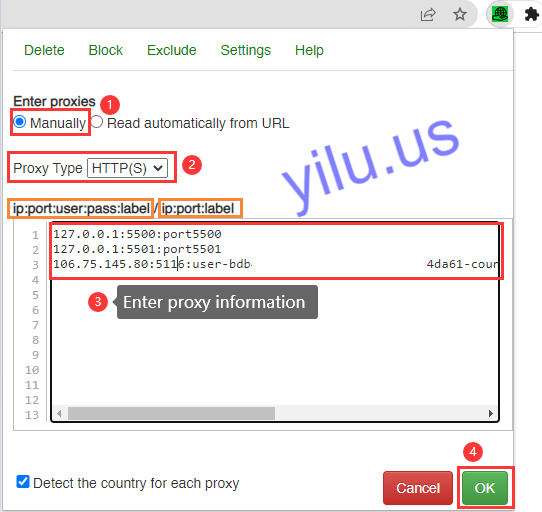
a.Select “Manually”.
b. Proxy type: YiLu Proxy supports Socks5 or HTTP protocols.
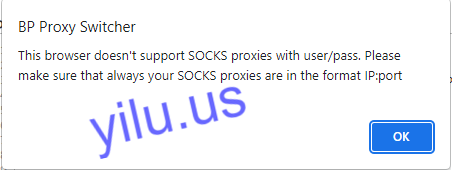
But when you select Socks5, this browser doesn’t support Socks proxies with user/pass. So I directly use HTTP here.
C. Enter proxies.
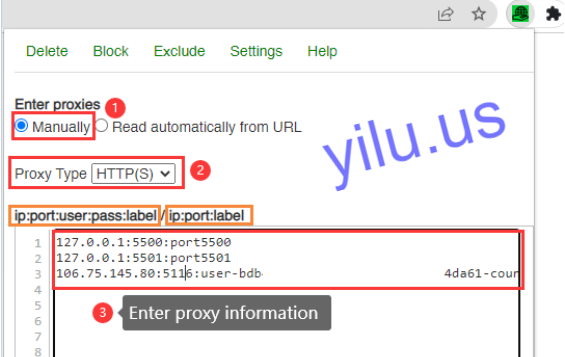
BP Proxy Switcher supports IP:port:label and IP:port:user:password:label two formats, label is optional.
IP:port:label is suitable for all YiLu Proxy IPs.
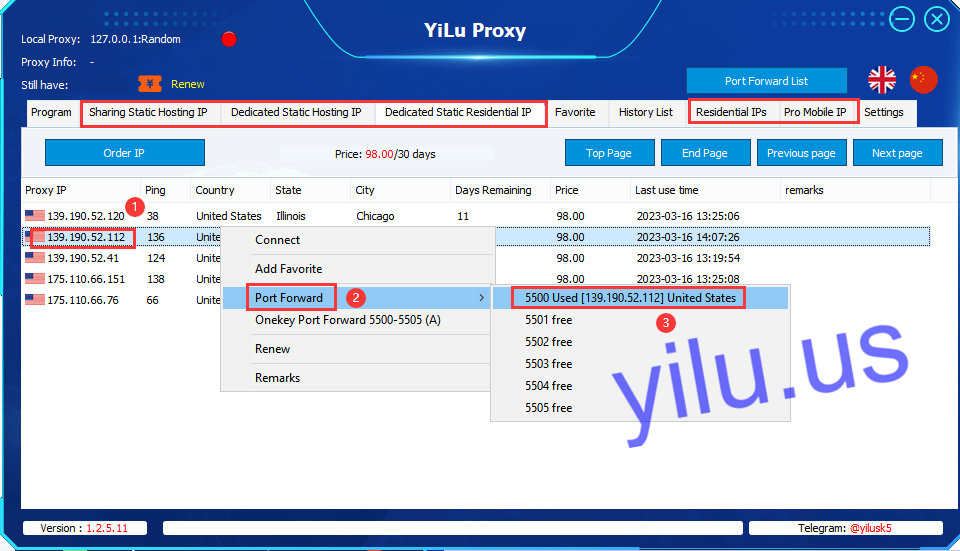
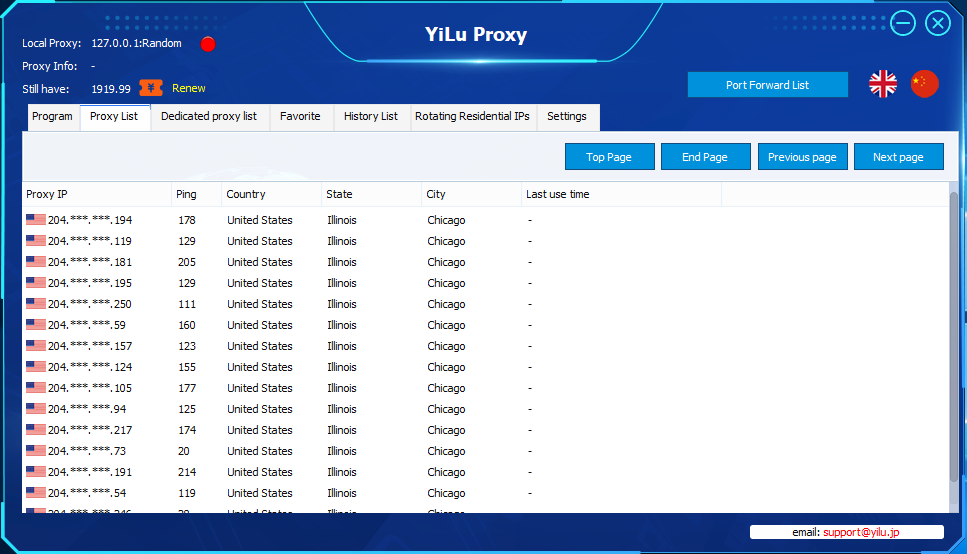
Right-click an IP and select a port.
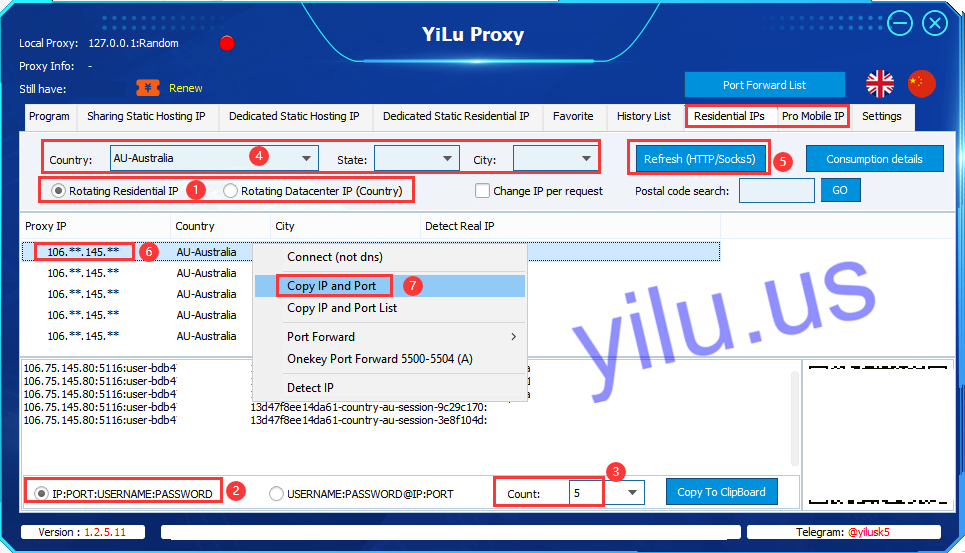
IP:port:user:password:label is suitable for YiLu Proxy dynamic IPs and 4G/5G mobile IPs.
- a. Select proxy IP type: rotating residential IP, rotating datacenter IP, mobile IP, or pro residential IP;
- b. Select the format of extracting IP information - IP:port:username:password;
- c. Set the number of generating IPs;
- d. Select a country, state, and city;
- e. Refresh;
- f. Right-click an IP
- g. Copy IP and port.
Note: After extracting proxy IP information, you can use these proxy IPs without running YiLuProxy client.
D. Click “OK” to save.
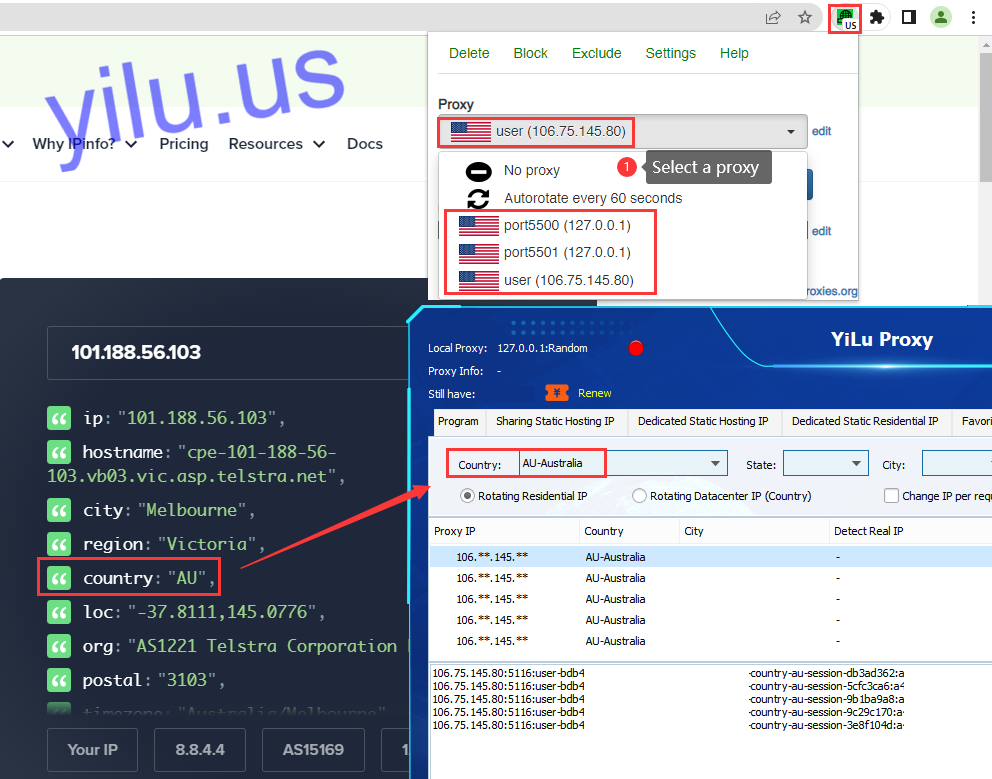
3. Select a proxy.
Select a proxy to use.
Then check the IP address, which is consistent with the settings in YiLu Proxy.